
PDF Assistant & Question Lab
Drop any material. Get exam-ready content in seconds.
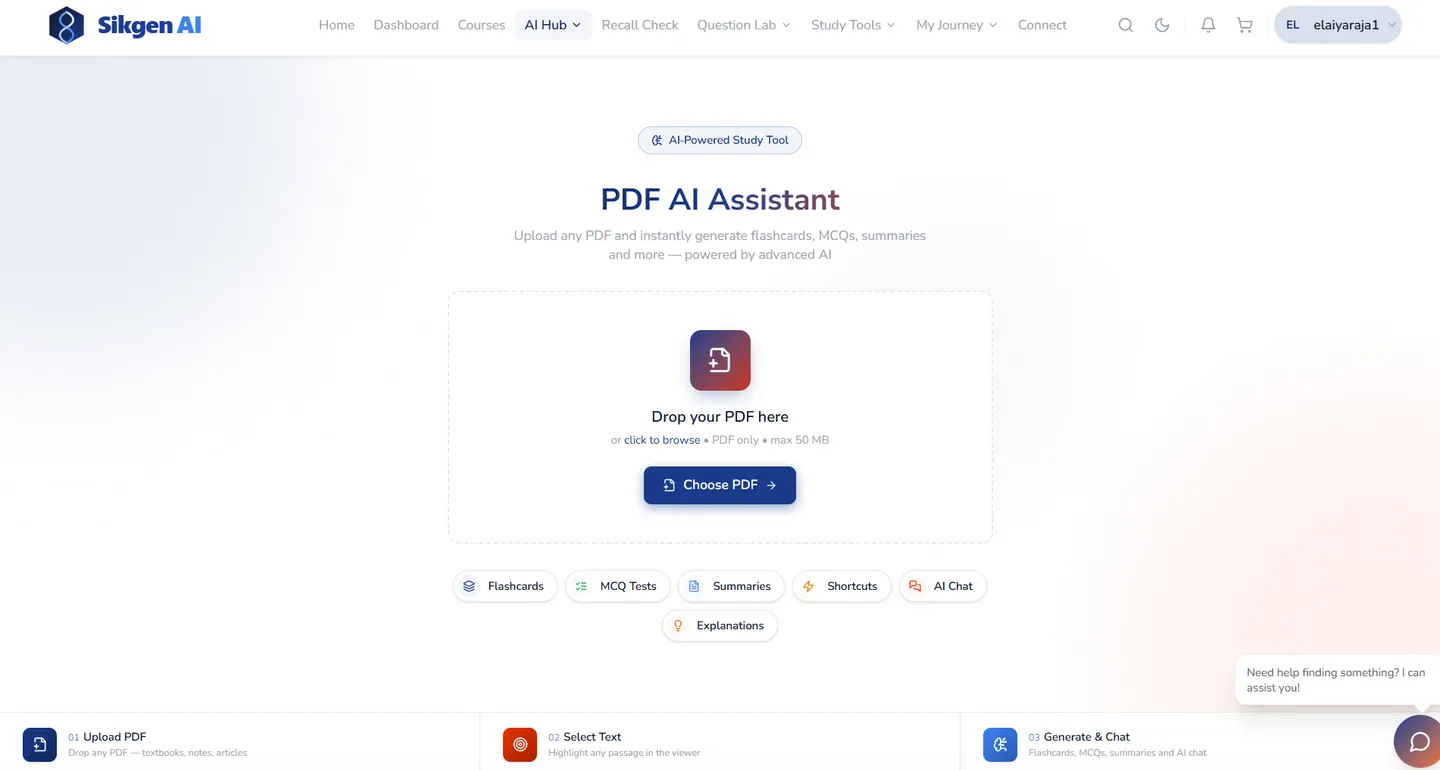
Upload any PDF, handout, or document — or paste a lecture transcript, video, image, or audio. Sikgen AI auto-generates flashcards, MCQ tests, summaries, explanations, and memory shortcuts from the content. The Question Lab lets teachers review, refine, and combine AI-generated sets into full assessments.
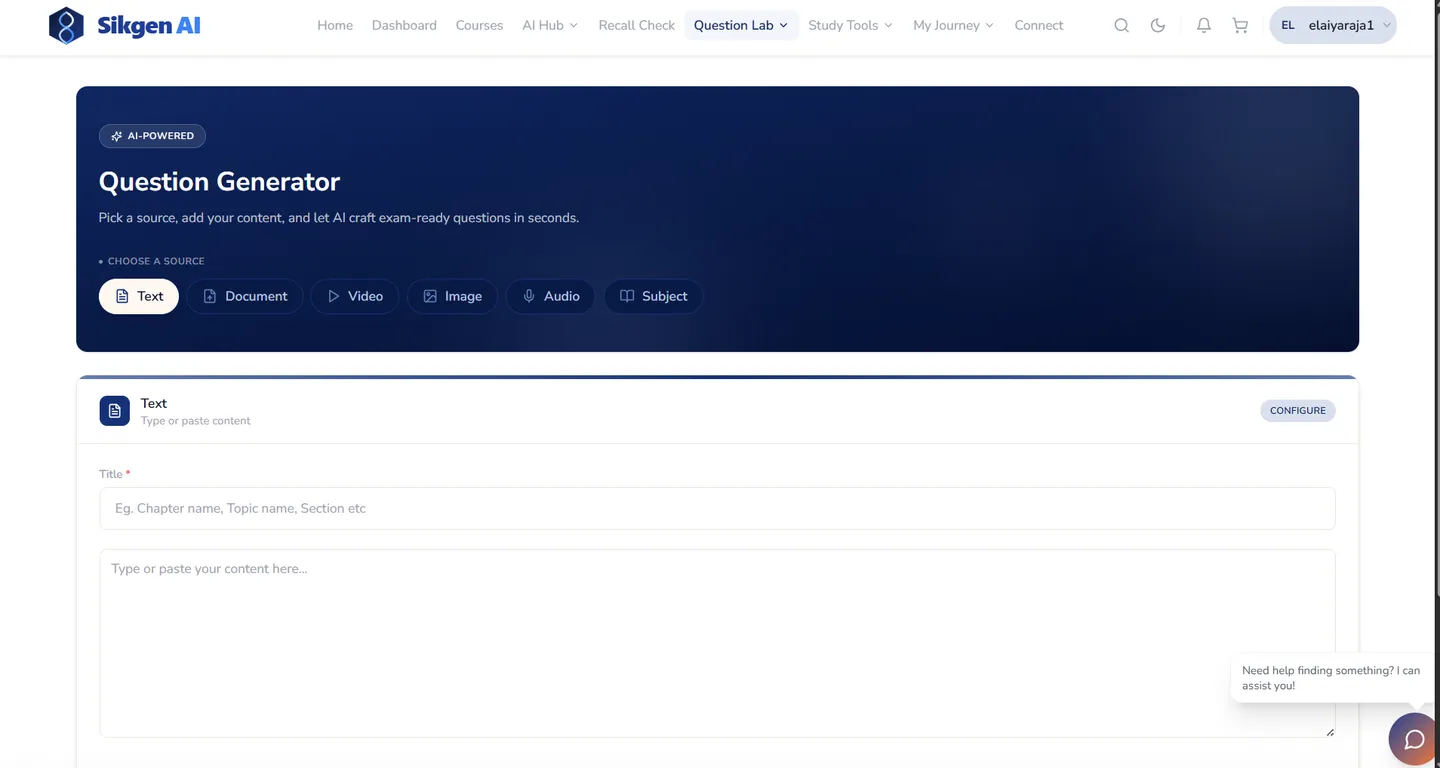
★ Generate exam questions from 6 source types — text, document, video, image, audio, and subject — not just PDFs.
What PDF Assistant & Question Lab does for your institution
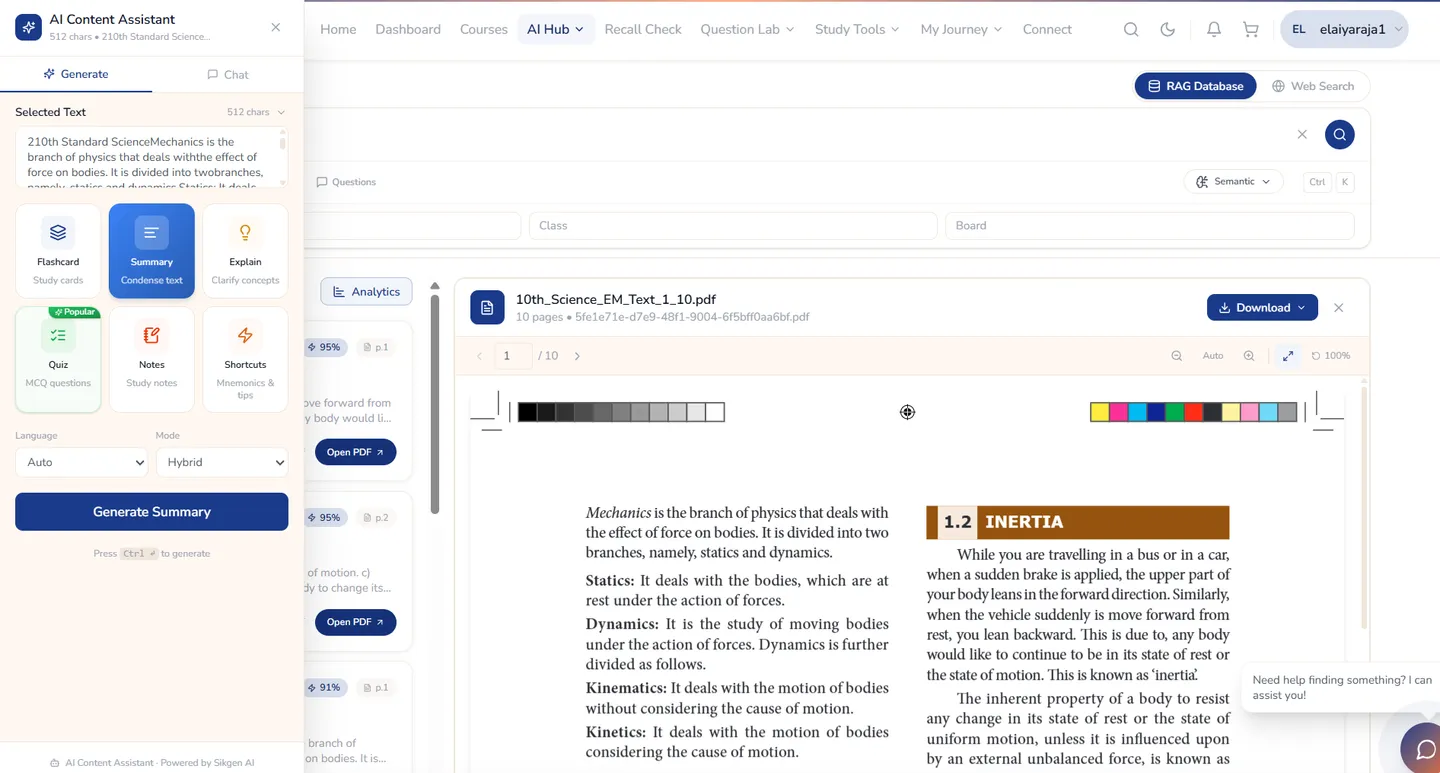
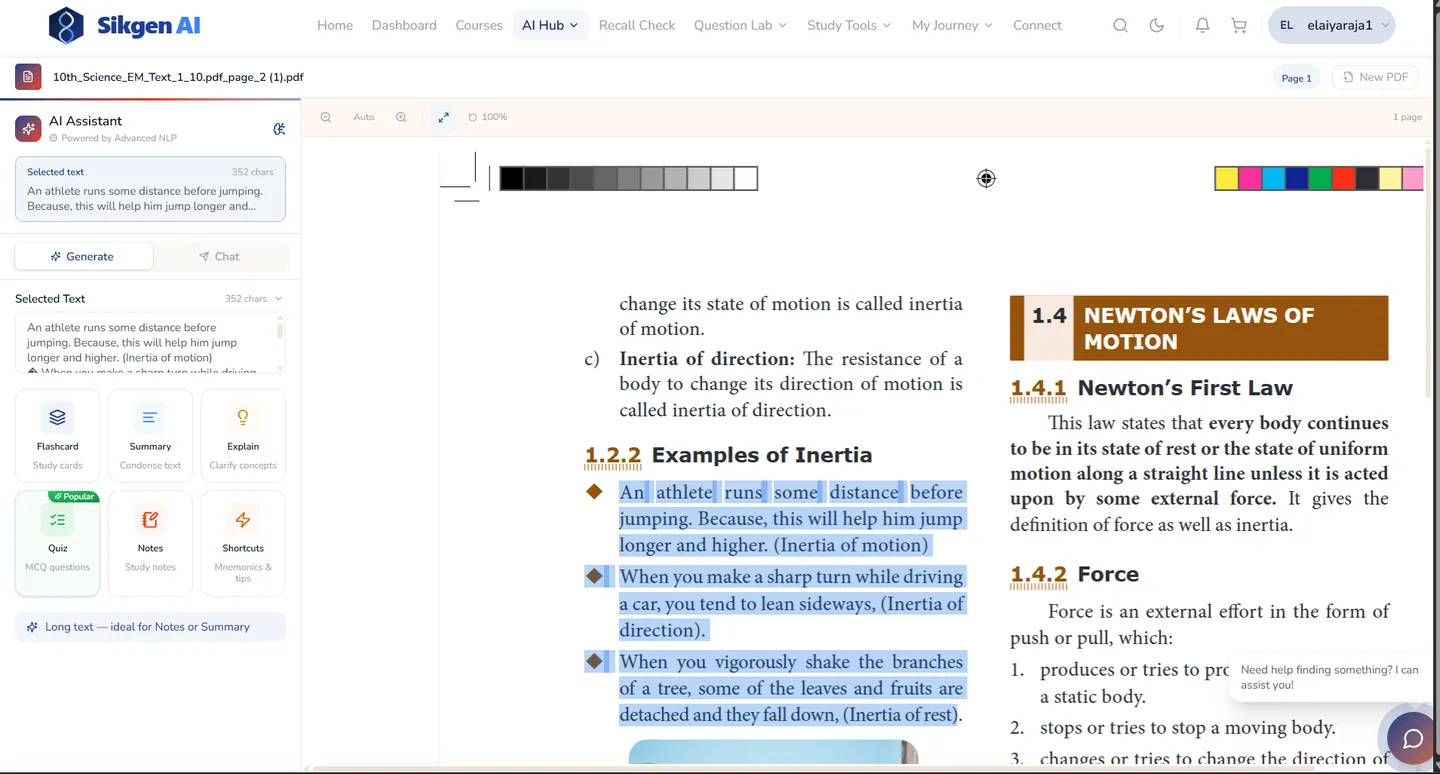
Instant study assets from any PDF
Highlight text → one click → flashcards, quiz, summary, or explanation. No manual prep required.
Multi-source question generation
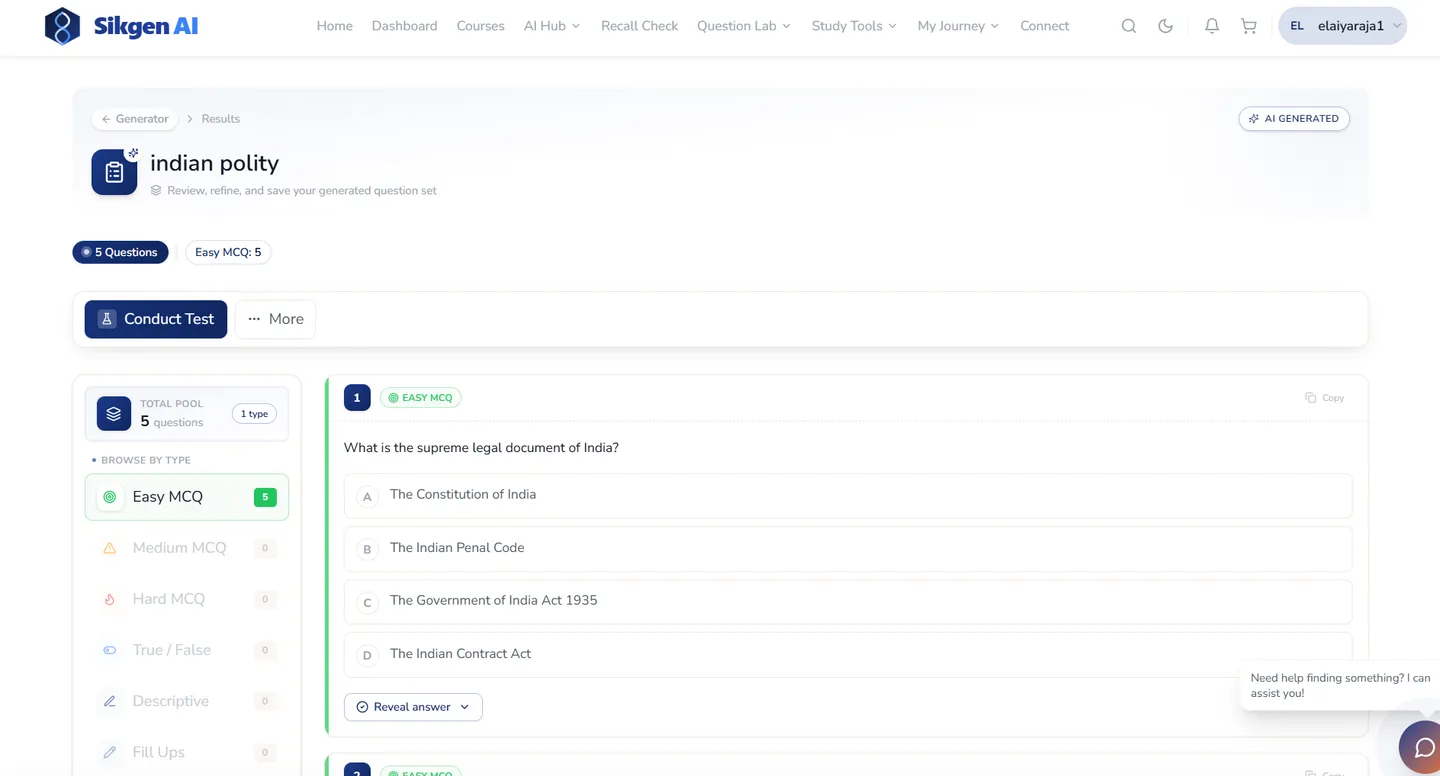
Paste a lecture, upload an image, or point to a video — the AI drafts exam-ready questions from it.
Teachers stay in control
AI drafts; the teacher reviews, removes weak questions, and assigns. Human quality gate built in.
Organised question library
All AI-generated papers in one place. Mix and match across papers to build a single assessment.
See it in action
Ready to see PDF Assistant & Question Lab live?
Book a 30-minute demo and we'll walk you through PDF Assistant & Question Lab with your own use case.
Evaluating pdf assistant & question lab as a category?
AI question paper generator — compose an exam-ready paper, not just a list of items